



Jump to content
View in the app

A better way to browse. Learn more.

GTAGames.nl - De Nederlandse Grand Theft Auto Community!

A full-screen app on your home screen with push notifications, badges and more.

To install this app on iOS and iPadOS
  1. Tap the Share icon in Safari
  2. Scroll the menu and tap Add to Home Screen.
  3. Tap Add in the top-right corner.
To install this app on Android
  1. Tap the 3-dot menu (⋮) in the top-right corner of the browser.
  2. Tap Add to Home screen or Install app.
  3. Confirm by tapping Install.

Editie 47 - Pietje II's Labiele Entertainment

(0 reviews)

Hoeveel procent heb je GTA Vice City uitgespeelt? 91 members have voted

  1. 1. Hoeveel procent heb je GTA Vice City uitgespeelt?

    • 10%
      5
    • 20%
      6
    • 30%
      1
    • 40%
      2
    • 50%
      11
    • 60%
      6
    • 70%
      4
    • 80%
      7
    • 90%
      40
    • 100%
      0

This poll is closed to new votes

Please sign in or register to vote in this poll.

oc_own_labiel.jpg

Deze rubriek is geschreven door Pietje II.

Welkom bij de 47ste editie van Oceans Weekly News en dus tevens de 47ste editie van Pietje II's Labiele Entertainment! Vorige week heeft een zekere krotenkoker, waar hij al dan niet beter van werd, dit rubriekje overgenomen. Daar bedank ik hem dan ook hartelijk voor, want ik was het glad vergeten.


Lollig!

Een dag niet gelachen is een dag niet geleefd. Vandaar dat ik onze briljante komiek heb ingehuurd, onze koning van 1 april, onze meester in onderbroekenlol, de grootste in het creëren van schuddebuikende mensen: Ome Joris!

LEUK! LEUK! LEUK! LEUK! LEUK!

Ome Joris heeft een verrassing voor je in petto:

de grootste foef aller tijden!

KLIK HIER!
Advertentie
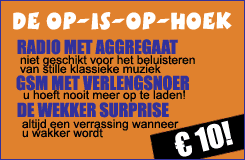
blogentry-11829-1183832513.png

2 Comments

Recommended Comments

Jorair Ballas leider

Jorair

Leden

Die advertenties blijven grappig Pietje :7 .

Koen729 Postless Person

Koen729

Banned

O geweldige grap zeg.

Guest
Add a comment...

Configure browser push notifications

Chrome (Android)
  1. Tap the lock icon next to the address bar.
  2. Tap Permissions → Notifications.
  3. Adjust your preference.
Chrome (Desktop)
  1. Click the padlock icon in the address bar.
  2. Select Site settings.
  3. Find Notifications and adjust your preference.