




Editie 124 - Lid van de Week

Artikel geplaatst door Dutchy3010
· 606 bezichtigingen
Lid van de Week 21 leden hebben gestemd
-
1. Wie wordt het nieuwe Lid van de Week?
-
rakker1264%1
-
Big-Bad-Boy28%6
-
Hayte14%3
-
BC752%11
-
Log in of registreer om te stemmen in deze peiling.

Er zullen alleen maar "gewone" leden in deze poll komen. Die kunnen ook wel eens extra in het zonnetje gezet worden, en SL+ staat dat toch al meer. Superleden, megaleden en crewleden komen vanaf nu niet meer aan de beurt (tenzij jullie je laten degraderen om in OWN te komen
 ).
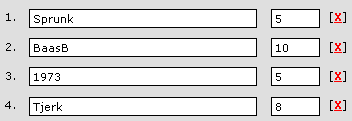
). Elke week ga ik aan 1 oceans lid, 1 superlid, 1 megalid en 1 crewlid 4 namen vragen. Op deze manier worden zij ook nog betrokken met het item. Iedere week zijn het anderen, die ik persoonlijk uitkies en die niet bekend worden. Degene die de meeste stemmen krijgt, wordt de nieuwe lid van de week!
Als prijzen is het allereerst natuurlijk de eer die je krijgt. Daarnaast wordt het verteld in een inhoudsblok hiernaast. Tot slot krijg je nog een avatar, of de winnaar die wilt dragen of niet moet hij zelf weten. Stem eerlijk, op iemand die echt is opgevallen, des te leuker wordt deze rubriek!
Lid van de vorige week:
BaasB

Namens heel de redactie van Oceans Weekly News: gefeliciteerd!
Recommended Comments