




Editie 187 - Lid van de Week

Artikel geplaatst door OWN
· 462 bezichtigingen
Wie wordt het nieuwe lid van de week? 15 leden hebben gestemd
-
1. Wie wordt het nieuwe lid van de week?
-
viccard0%0
-
supergtagamer6%1
-
TZG60%9
-
Leontjuuh-gta33%5
-
Log in of registreer om te stemmen in deze peiling.

Deze week zijn er weer een paar Leden opgevallen bij het redactieteam van Oceans Weekly News. Hieronder vind je de vier nieuwste kandidaten om het nieuwe Lid van de Week te worden, inclusief hun mening waarom zij vinden dat zij deze week het meest verdienen om te winnen. Alle kandidaten veel succes!
Kandidaat 1: viccard
"Er is nog geen reactie binnen gekomen van viccard."
Kandidaat 2: supergtagamer
"Er is nog geen reactie binnen gekomen van supergtagamer."
Kandidaat 3: TZG
"Stem op Thijmen Zonder Genade, anders kom ik je halen."
Kandidaat 3: Leontjuuh-gta
"Met mij als OWN Lid Van De Week wordt Nederland gegarandeerd Wereldkampioen Voetbal!!!
 Dus stem op mij
  "
"• • • • •
Stem eerlijk, op iemand die echt is opgevallen, des te leuker wordt deze rubriek!
Lid van de vorige week:
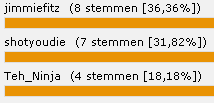
jimmiefitz

Namens heel de redactie van Oceans Weekly News: gefeliciteerd!
Recommended Comments