




OWN #195 - Topic van de Week

Artikel geplaatst door OWN
· 434 bezichtigingen
Wat wordt het nieuwe topic van de week? 17 leden hebben gestemd
-
1. Wat wordt het nieuwe topic van de week?
-
[url=http://www.gtaforum.nl/topic/115143-the-covesight-community/]The Covesight Community[/url]17%3
-
[url=http://www.gtaforum.nl/topic/115104-bij-geen-een-vriend-in-de-klas/]Bij geen een vriend in de klas[/url]11%2
-
[url=http://www.gtaforum.nl/topic/115097-in-welke-klas-zit-jij-dit-jaar/]In welke klas zit jij dit jaar?[/url]23%4
-
[url=http://www.gtaforum.nl/topic/115235-beat-down-counterstrike-multiplayer-evenement/]BeaT DowN Counterstrike Multiplayer Evenement[/url]47%8
-
Log in of registreer om te stemmen in deze peiling.

Welk topic mag volgens jou benoemd worden tot Topic van de Week? Hieronder vind je de beschrijvingen van de topics van deze week, gevolgd door de winnaar van vorige week. Ook deze week waren er weer interessante topics en op één kan je hierboven in de poll stemmen.

Topic 1: The Covesight Community
Het nieuwste topic van de teruggekeerde Covesight Community.
Topic 2: Bij geen een vriend in de klas
zit bij geen enkele in zijn nieuwe klas. Wat moet hij nu doen?
Topic 3" In welke klas zit jij dit jaar?
Een nieuw schooljaar en voor de meesten een nieuw niveau of een jaar hoger. Waar zit jij nu?
Topic 4: BeaT DowN Counterstrike Multiplayer Evenement
Tot nu toe heeft elk topic in The Families veel reacties opgeleverd en de verwachting is dat het hier ook zo zal zijn.
• • • • •
Topic van vorige week:
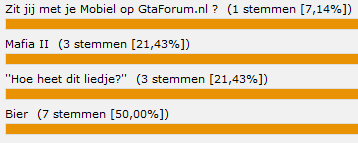
Bier
Alles over bier, inclusief Bierbuikje.
Recommended Comments