




C++ De Basis - Strings

Artikel geplaatst door Crypteq
· 1252 bezichtigingen

We behandelen deze keer de strings. Een string is simpelweg tekst.
[table=header]Nota:
Dit artikel is door @Megadreams aangeduid als "moet herschreven worden".[/table]
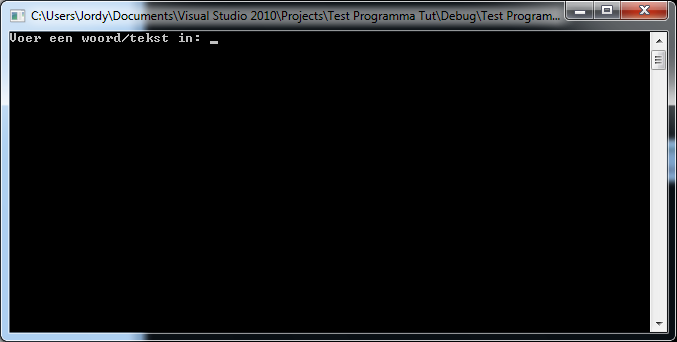
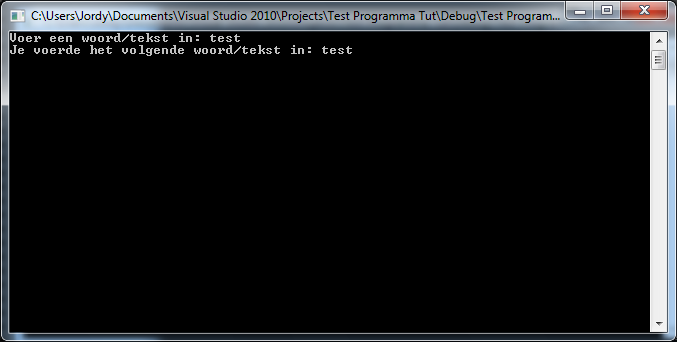
We gaan 2 includes includen namelijk "iostream" en "string" de include string is nodig voor de strings:
#include <iostream>
#include <string>
Dan weer de namespace:
using namespace std;
Nu gaan we de procedure "main" weer aanmaken:
int main()
{

}
Nu gaan we geen int gebruiken maar string en deze string noemt "woord":
string woord;
We gaan nu de gebruiker vertellen dat hij een woord/tekst moet invoeren, dit doen we met "cout":
cout << "Voer een woord/tekst in: ";
Nu gaan we het woord of de tekst ophalen via cin:
cin >> woord;
En nu gaan we het ingevoerde woord/tekst op het scherm schrijven:
cout << "Je voerde het volgende woord/tekst in: " << woord;
En nu gaan we onze welbekende loop weer gebruiken want als je cin.get() zou gebruiken zou hij net als bij het vorige programmatje meteen afsluiten want je drukt immers nog die toets "enter" in:
while(true){}
Nu sluiten we af met een return:
return 0;
Dit alles samen vormt:
#include <iostream>
#include <string>
using namespace std;

int main()
{
string woord;
cout << "Voer een woord/tekst in: ";
cin >> woord;
cout << "Je voerde het volgende woord/tekst in: " << woord;

while (true){}
return 0;
}
Volgende keer zullen we de verschillende soort loops behandelen en wat je er allemaal mee kan.
Recommended Comments