Jump to content
View in the app

A better way to browse. Learn more.

GTAGames.nl - De Nederlandse Grand Theft Auto Community!

A full-screen app on your home screen with push notifications, badges and more.

To install this app on iOS and iPadOS
  1. Tap the Share icon in Safari
  2. Scroll the menu and tap Add to Home Screen.
  3. Tap Add in the top-right corner.
To install this app on Android
  1. Tap the 3-dot menu (⋮) in the top-right corner of the browser.
  2. Tap Add to Home screen or Install app.
  3. Confirm by tapping Install.

Mededeling en BlogScreens

(0 reviews)

Hoeveel procent heb je GTA Vice City uitgespeelt? 91 members have voted

  1. 1. Hoeveel procent heb je GTA Vice City uitgespeelt?

    • 10%
      5
    • 20%
      6
    • 30%
      1
    • 40%
      2
    • 50%
      11
    • 60%
      6
    • 70%
      4
    • 80%
      7
    • 90%
      40
    • 100%
      0

This poll is closed to new votes

Please sign in or register to vote in this poll.

ms8xb.png

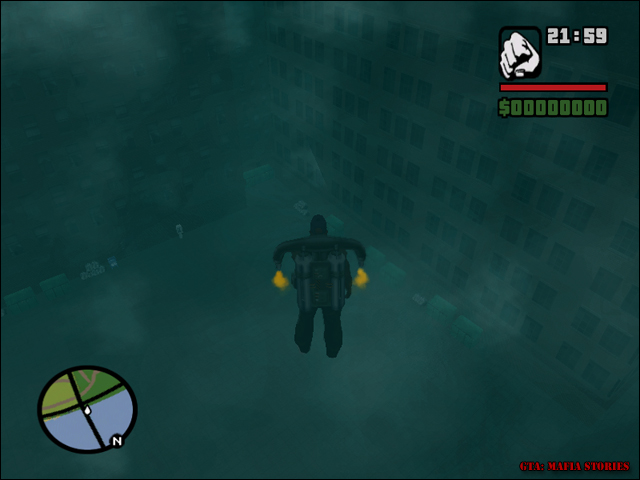
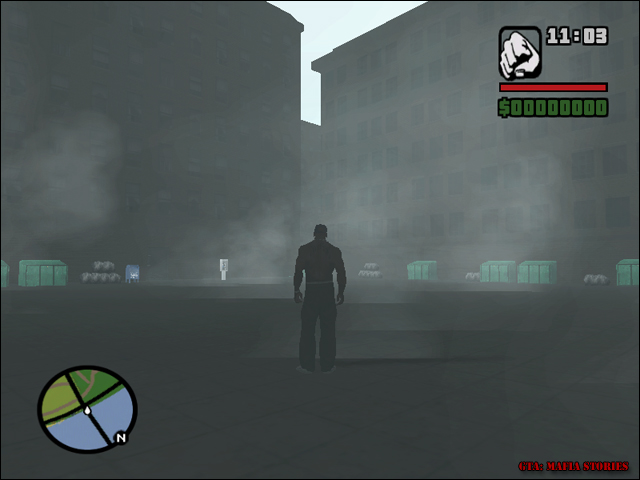
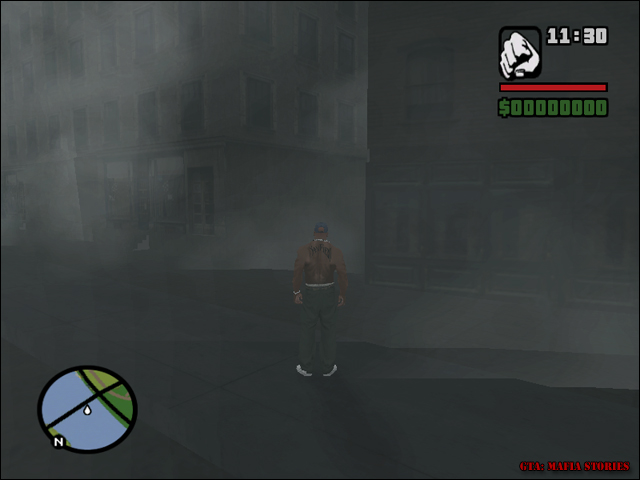
Vanaf vandaag zullen DaBeast en Wazuup onze Matiscus gaan versterken met het beheren van de blog. Dit komt omdat we nu een groen jasje hebben waarmee we gelijk de rechten hebben gekregen om in deze blog te kunnen posten. Genoeg daarover, tijd voor screens van het lot van Tim:
blog-20899-1171044182_thumb.jpg

blog-20899-1171044189_thumb.jpg

blog-20899-1171044196_thumb.jpg

Graag horen we je reacties in deze blog of in ons subforum.

Wazuup - Namens het Mafia Stories Team

3 Comments

Recommended Comments

M4X Dictator

M4X

Leden

Leuke screens, maar naar mijn mening iets te mistig. Het past wel bij de de mafia sfeer, maar het moet niet te veel worden. Voor de rest ziet het er echt goed uit Mafia Stories mensen :klap:

Btw, Dabeast en Wazuup gefeliciteerd met jullie nieuwe ''jasje'' ^_^

Matiscus Kingpin

Matiscus

Leden

Dit ziet er strak uit heren. Het geeft zeker een mafia gevoel met die mist enzo. Ik zou zeggen doe zo voort.

Koen729 Postless Person

Koen729

Banned

Ziet er erg goed uit. KUTGW!

Guest
Add a comment...

Configure browser push notifications

Chrome (Android)
  1. Tap the lock icon next to the address bar.
  2. Tap Permissions → Notifications.
  3. Adjust your preference.
Chrome (Desktop)
  1. Click the padlock icon in the address bar.
  2. Select Site settings.
  3. Find Notifications and adjust your preference.