





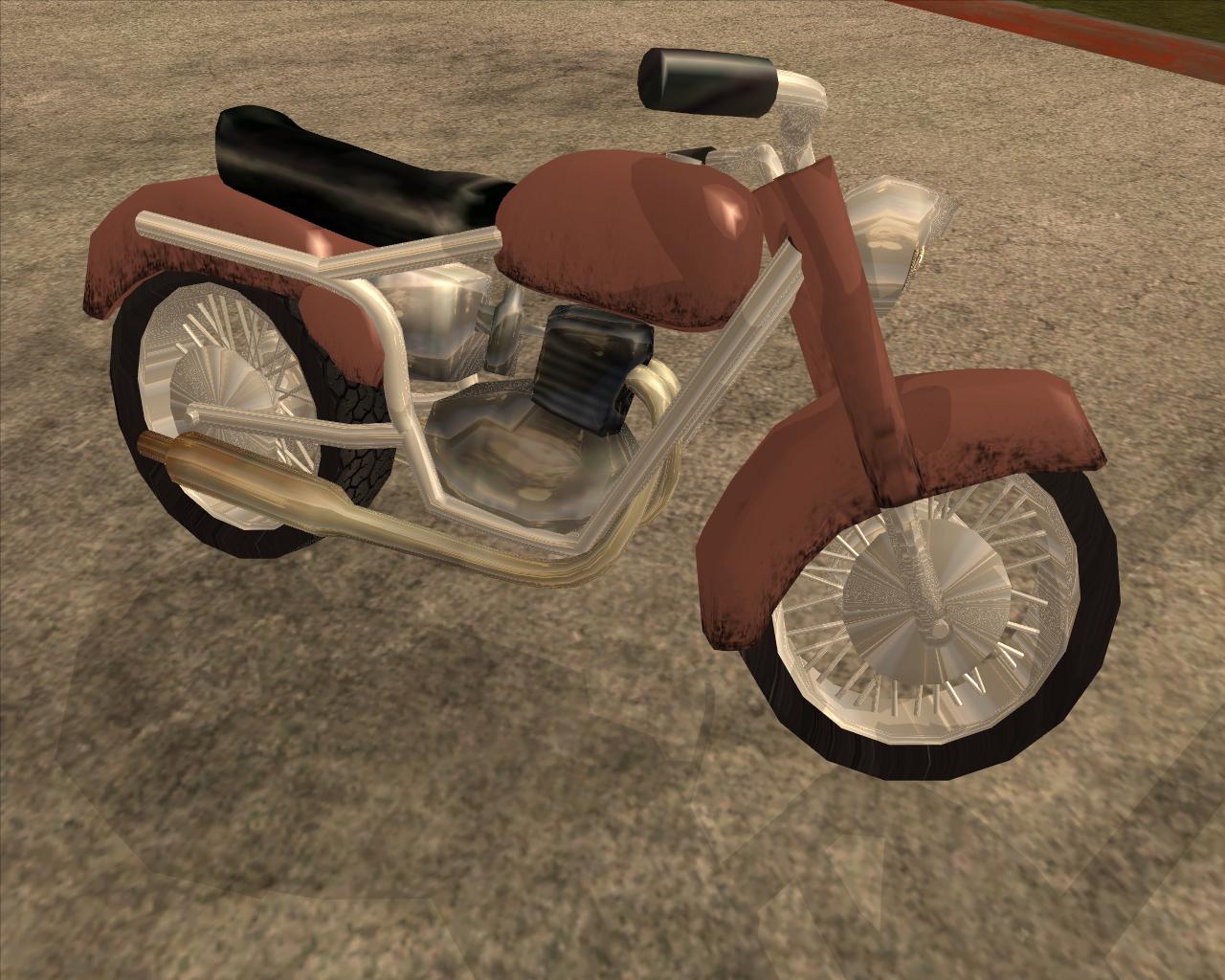
Een Gilera 176 sport 1956 mod, vervangt de Freeway.
[sA]Gilera 176 Sport 1956 modGemaakt door Beagle
Installatie stappen:
-----------------------------------------------------------------------------------------------
1. Open IMGTool. ga naar "File" -> "Open" en druk op "gta3.img" in je SA root\models map.
2. ga naar "commands" -> "Find" en typ in: "freeway.dff".
3. ga naar "commands" en druk op "replace". Zoek "gilera176sport1996.dff" in deze map
en druk op "open".
4. ga naar "commands" -> "Find" en type in: "freeway.txd".
5. ga naar "commands" en druk op "replace". Zoek "gilera176sport1996.txd" in deze map
en druk op "open".
-----------------------------------------------------------------------------------------------
Sluit IMGTool, en open het bestand "vehicles.ide" in je SA root\data map.
-----------------------------------------------------------------------------------------------
1. Druk op "CTRL+F" en zoek naar "freeway".
2. Selecteer de hele lijn, en plak deze lijn hiervoor in de plaats:
463, freeway, freeway, bike, FREEWAY, FREEWAY, bikes, motorbike, 10, 0, 0, 23, 0.854, 0.854, -1
-----------------------------------------------------------------------------------------------
Sluit het bestand (Als er gevraagd word om op te slaan druk je op "ja") en nu open je het bestand "handling.cfg",
die gevonden kan worden in dezelfde map als "vehicles.ide".
-----------------------------------------------------------------------------------------------
1. Druk op "CTRL+F" en zoek naar "freeway".
2. Selecteer de hele lijn, en plak deze lijn hiervoor in de plaats:
FREEWAY 400.0 200.0 4.0 0.0 0.08 -0.09 103 1.8 0.9 0.48 5 190.0 60.0 5.0 R P 15.0 0.50 0 35.0 0.85 0.15 0.0 0.15 -0.16 0.5 0.0 0.0 0.15 10000 1002000 2 1 1 4
-----------------------------------------------------------------------------------------------
Sluit het bestand (Als er gevraagd word om op te slaan druk je op "ja") en spelen maar
-----------------------------------------------------------------------------------------------
---> De animatie die gebruikt word op de motor word nog aangepast! <---
-----------------------------------------------------------------------------------------------
+=G=T=A=G=A=M=E=S=====G=T=A=D=O=W=N=L=O=A=D=S=+
| Gedownload van GTAGames.nl - De Nederlandse |
| Grand Theft Auto Website! |
| |
| Heb je een vraag over deze download of wil |
| je er zelf één maken kijk dan op GTAForum.nl|
| |
| Nog meer leuke GTA mods downloaden? |
| Kijk dan op GTAGames.nl |
+=G=T=A=G=A=M=E=S=====G=T=A=D=O=W=N=L=O=A=D=S=+
http://www.gtaforum.nl/index.php?showtopic=99494
-----------------------------------------------
