




Skip to content
View in the app

A better way to browse. Learn more.

GTAGames.nl - De Nederlandse Grand Theft Auto Community!

A full-screen app on your home screen with push notifications, badges and more.

To install this app on iOS and iPadOS
  1. Tap the Share icon in Safari
  2. Scroll the menu and tap Add to Home Screen.
  3. Tap Add in the top-right corner.
To install this app on Android
  1. Tap the 3-dot menu (⋮) in the top-right corner of the browser.
  2. Tap Add to Home screen or Install app.
  3. Confirm by tapping Install.

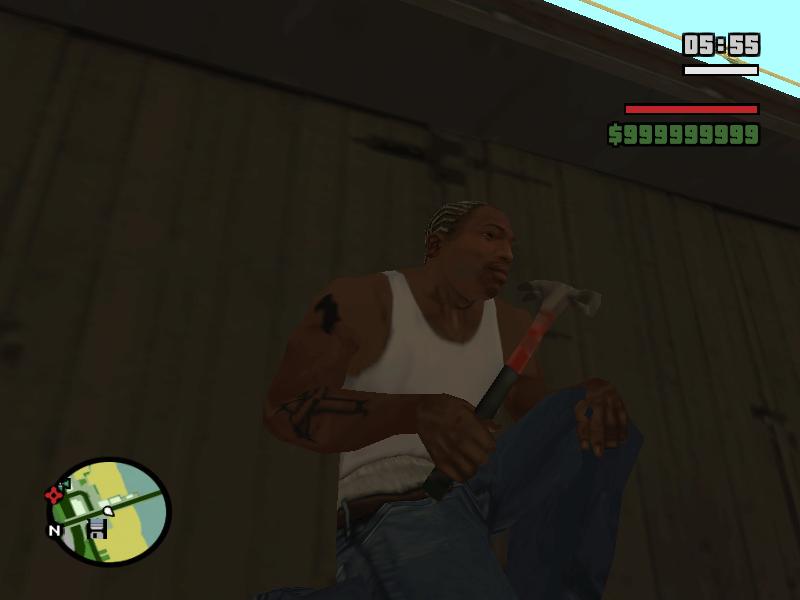
Hamer van Vice City

1 Screenshot

Omdat ik niet veel snap van mods maken en wel mods converteren,

heb ik de hamer van Vice City geconverteerd naar San Andreas.

Eerst wou ik een grote moker om mee te slaan maar die kon ik niet maken.

Voordat ik de hamer uploade heb ik op internet gezocht of hij al bestand,

toen ik hem niet vond heb ik hem gecnverteerd.

Veel succes met de mod!

Account

Navigation

Search

Search

Configure browser push notifications

Chrome (Android)
  1. Tap the lock icon next to the address bar.
  2. Tap Permissions → Notifications.
  3. Adjust your preference.
Chrome (Desktop)
  1. Click the padlock icon in the address bar.
  2. Select Site settings.
  3. Find Notifications and adjust your preference.