




Skip to content
View in the app

A better way to browse. Learn more.

GTAGames.nl - De Nederlandse Grand Theft Auto Community!

A full-screen app on your home screen with push notifications, badges and more.

To install this app on iOS and iPadOS
  1. Tap the Share icon in Safari
  2. Scroll the menu and tap Add to Home Screen.
  3. Tap Add in the top-right corner.
To install this app on Android
  1. Tap the 3-dot menu (⋮) in the top-right corner of the browser.
  2. Tap Add to Home screen or Install app.
  3. Confirm by tapping Install.

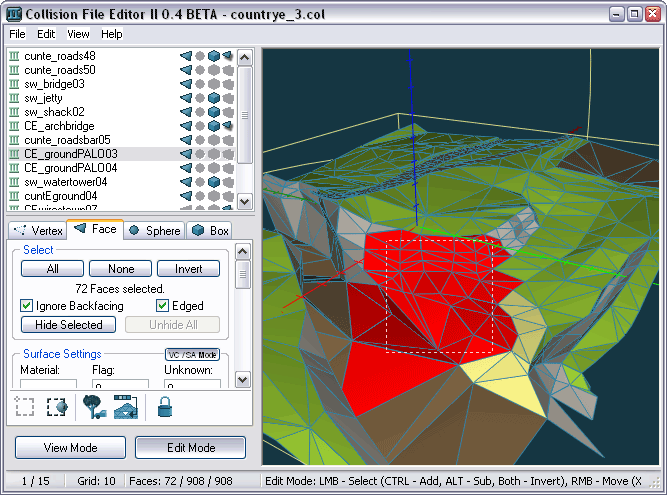
Collision File Editor II

1 Screenshot

Collision File Editor II is een editor waarmee je .col bestanden kan bewerken van Grand Theft Auto 3, Vice City en San Andreas.

Functies:

  • ondersteunt versie 1, 2 and 3 collision bestanden
  • makkelijke muis navigatie
  • sub-object bewerken met muis en toetsenbord
  • Een aantal optimalisatie routines.
  • Ondersteuning voor de ingesloten voertuig collison modellen.
  • drag'n'drop functionaliteit
  • Oppervlakte belichting generator
  • batch omzetting functie

Account

Navigation

Search

Search

Configure browser push notifications

Chrome (Android)
  1. Tap the lock icon next to the address bar.
  2. Tap Permissions → Notifications.
  3. Adjust your preference.
Chrome (Desktop)
  1. Click the padlock icon in the address bar.
  2. Select Site settings.
  3. Find Notifications and adjust your preference.