




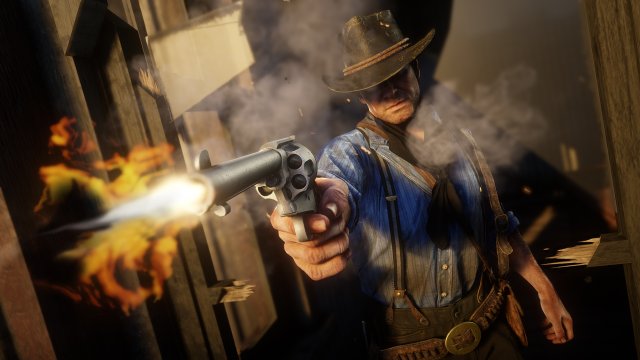
Met nog slechts drie dagen tot Red Dead Redemption II maakt Rockstar Games zich helemaal klaar voor de release. Zo komt er op 26 oktober een Companion App, Launch Title Update, en meer!
Companion App
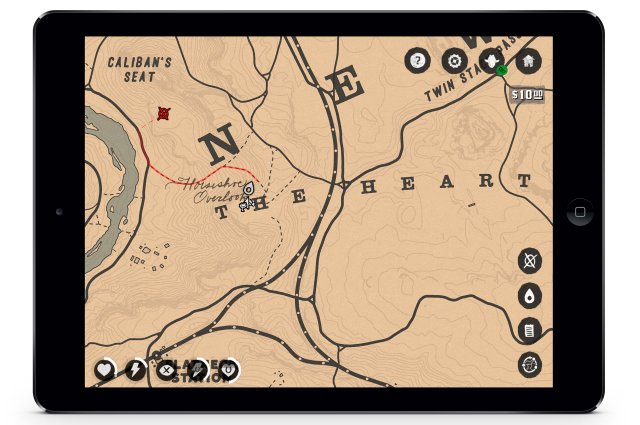
Verstop je voor de wet, jaag op je vijanden of vind de dichtstbijzijnde winkel via de interactieve RDR2 Companion App.
Deze app zal vanaf vrijdag 26 oktober beschikbaar zijn op iOS en Android, en zal rechtstreeks verbonden kunnen worden met je PS4 of XBox One waardoor de app real-time, interactieve informatie over de game toont. Je kunt de map in- en uitzoomen, waypoints zetten of interessante locaties markeren.
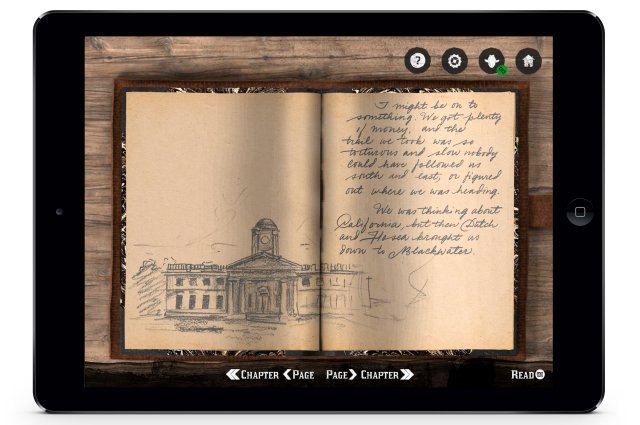
Daarnaast toont de app ook in real-time de belangrijkste stats en info over Arthur Morgan waardoor je zonder HUD kunt spelen als je daarvoor kiest. En je kunt ook Arthurs dagboek lezen die wordt upgedatet terwijl je door het verhaal gaat (zie afbeelding in spoiler). Andere features zijn stats tracking via Social Club, de handleiding van de game plus een optionele digitale versie van Red Dead Redemption 2 Official Guide.
Launch Title Update
Met games van deze grootte is het normaal dat er een Day One Patch is die nog last minute bugs en glitches oplost. Om de beste game ervaring te garanderen, raadt Rockstar dan ook iedereen aan om deze update te downloaden en installeren voor ze in de wereld van Red Dead Redemption II springen.
Streaming en video embargo informatie
Veel mensen zijn van plan om deze game te streamen of video's van de game op sites zoals YouTube, Twitch en nog andere te plaatsen. Rockstar heeft laten weten wanneer het oke is om dat te doen. Van zodra het 26 oktober is in Australië en Nieuw-Zeeland, is het veilig om video's te plaatsen en de game te streamen. Dat vertaalt zich naar 25 oktober om 13:01 uur Nederlandse en Belgische tijd. De mensen die geen spoilers willen zien, kunnen vanaf dan beter sites als YouTube en andere vermijden.
Rockstar Games bedankt alle medewerkers van Red Dead Redemption II
En ten slotte wil Rockstar iedereen bedanken die aan deze game heeft gewerkt:
CitaatRed Dead Redemption 2 has been a massive project spanning many years and multiple teams, and we are extremely proud of the work of the entire company in bringing this game to the world.
We would like to extend our sincere thanks to all those whose contributions both big and small, assisted in the journey along the way.
We hope you enjoy the game.
– Rockstar Games
Een volledige lijst van alle medewerkers en ontwikkelaars die hebben gewerkt aan de game, vind je hier.
(Bron: Rockstar Newswire)
Recommended Comments
Een reactie plaatsen
Je kan nu een reactie plaatsen en pas achteraf registreren. Als je al lid bent, log eerst in om met je eigen account een reactie te plaatsen.