Jump to content
View in the app

A better way to browse. Learn more.

GTAGames.nl - De Nederlandse Grand Theft Auto Community!

A full-screen app on your home screen with push notifications, badges and more.

To install this app on iOS and iPadOS
  1. Tap the Share icon in Safari
  2. Scroll the menu and tap Add to Home Screen.
  3. Tap Add in the top-right corner.
To install this app on Android
  1. Tap the 3-dot menu (⋮) in the top-right corner of the browser.
  2. Tap Add to Home screen or Install app.
  3. Confirm by tapping Install.

Editie 74 - Admins Strippen

(0 reviews)

Hoeveel procent heb je GTA Vice City uitgespeelt? 91 members have voted

  1. 1. Hoeveel procent heb je GTA Vice City uitgespeelt?

    • 10%
      5
    • 20%
      6
    • 30%
      1
    • 40%
      2
    • 50%
      11
    • 60%
      6
    • 70%
      4
    • 80%
      7
    • 90%
      40
    • 100%
      0

This poll is closed to new votes

Please sign in or register to vote in this poll.

gallery_33831_25_1911.jpg

Deze rubriek is geschreven door Lantyz en PatrickW!

Iedere week geven Lantyz en PatrickW hun verknipte blik op het forum en alles daaromheen weer met een korte strip in OWN. Deze strips worden gemaakt met behulp van de site Stripgenerator.com. Deze week verwondert Lantyz zich over een nieuwe rage.

15. Bont
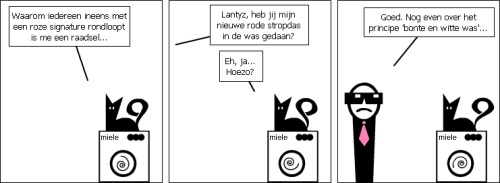
gallery_536_26_2973.jpg

6 Comments

Recommended Comments

2fast{0} Kingpin

2fast{0}

Leden

Alweer een geweldige Admins strippen. _O_:puh:

~Victorious~ The Lost MC President

~Victorious~

Leden

Super.

Ik moet deze strippen echt beginnen volgen.

grtz

~Victorious~

Donald F. Duck Kingpin

Donald F. Duck

Leden

_O_ Geweldig! _O_
-Omar- Vercetti leider

-Omar-

Leden

Hoe verzinnen jullie het geweldig!

Jopper47 The Lost MC President

Jopper47

Leden

Dit is echt geweldig, ik hou van deze strippen!

:tu:

peter99 Ballas leider

peter99

Leden

.:: _O_ Ode aan gtaF en deze geweldige strips _O_ ::.

In een woord: Geweldig :dans:

Guest
Add a comment...

Configure browser push notifications

Chrome (Android)
  1. Tap the lock icon next to the address bar.
  2. Tap Permissions → Notifications.
  3. Adjust your preference.
Chrome (Desktop)
  1. Click the padlock icon in the address bar.
  2. Select Site settings.
  3. Find Notifications and adjust your preference.