Skip to content
View in the app

A better way to browse. Learn more.

GTAGames.nl - De Nederlandse Grand Theft Auto Community!

A full-screen app on your home screen with push notifications, badges and more.

To install this app on iOS and iPadOS
  1. Tap the Share icon in Safari
  2. Scroll the menu and tap Add to Home Screen.
  3. Tap Add in the top-right corner.
To install this app on Android
  1. Tap the 3-dot menu (⋮) in the top-right corner of the browser.
  2. Tap Add to Home screen or Install app.
  3. Confirm by tapping Install.

Editie 178 - Lid van de Week

(0 reviews)

Wie wordt het nieuwe Lid van de Week? 16 members have voted

  1. 1. Wie wordt het nieuwe Lid van de Week?

    • dji-unit
      12%
      2
    • Cylas
      12%
      2
    • GwnHugo
      75%
      12
    • I-cer
      0%
      0

Please sign in or register to vote in this poll.

gallery_3251_43_12647.gif

Deze week zijn er weer een paar Leden opgevallen bij het redactieteam van Oceans Weekly News. Hieronder vind je de vier nieuwste kandidaten om het nieuwe Lid van de Week te worden, inclusief hun mening waarom zij vinden dat zij deze week het meest verdienen om te winnen. Alle kandidaten veel succes!

Kandidaat 1: dji-unit

"Stem A.U.B. op mij omdat ik graag iets wil winnen op dit leuke forum ;)"

Kandidaat 2: Cylas

OWN%20lid%20week.jpg

Kandidaat 3: GwnHugo

"Er is nog geen reactie binnen gekomen van GwnHugo."

Kandidaat 3: I-cer

"Er is nog geen reactie binnen gekomen van I-cer."

• • • • •

Stem eerlijk, op iemand die echt is opgevallen, des te leuker wordt deze rubriek!

Lid van de vorige week:
gallery_13783_45_766.png

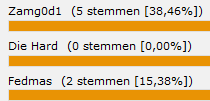
Zamg0d1

14yacub.jpg

Namens heel de redactie van Oceans Weekly News: gefeliciteerd!

0 Comments

Recommended Comments

There are no comments to display.

Guest
Add a comment...

Account

Navigation

Search

Search

Configure browser push notifications

Chrome (Android)
  1. Tap the lock icon next to the address bar.
  2. Tap Permissions → Notifications.
  3. Adjust your preference.
Chrome (Desktop)
  1. Click the padlock icon in the address bar.
  2. Select Site settings.
  3. Find Notifications and adjust your preference.