



Jump to content
View in the app

A better way to browse. Learn more.

GTAGames.nl - De Nederlandse Grand Theft Auto Community!

A full-screen app on your home screen with push notifications, badges and more.

To install this app on iOS and iPadOS
  1. Tap the Share icon in Safari
  2. Scroll the menu and tap Add to Home Screen.
  3. Tap Add in the top-right corner.
To install this app on Android
  1. Tap the 3-dot menu (⋮) in the top-right corner of the browser.
  2. Tap Add to Home screen or Install app.
  3. Confirm by tapping Install.

Editie 402 - De Test

(0 reviews)

rJG7wa6.png

eqAJRY1.png

Al duizenden jaren lang bouwt de mens. In de spoiler vind je vijf zeer bekende gebouwen. Maar hoe heten ze?

Gebouw 1: 1920px-Reichstag_building_Berlin_view_from_west_before_sunset.jpg

A. Reichstag, Berlijn

B. Neues Palais, Potsdam

C. Altes Palais, Berlijn

Gebouw 2: 1920px-Tower_bridge_London_Twilight_-_November_2006.jpg

A. Chelsea Bridge, Londen

B. London Bridge, Londen

C. Tower Bridge, Londen

Gebouw 3: Colosseum_in_Rome-April_2007-1-_copie_2B.jpg
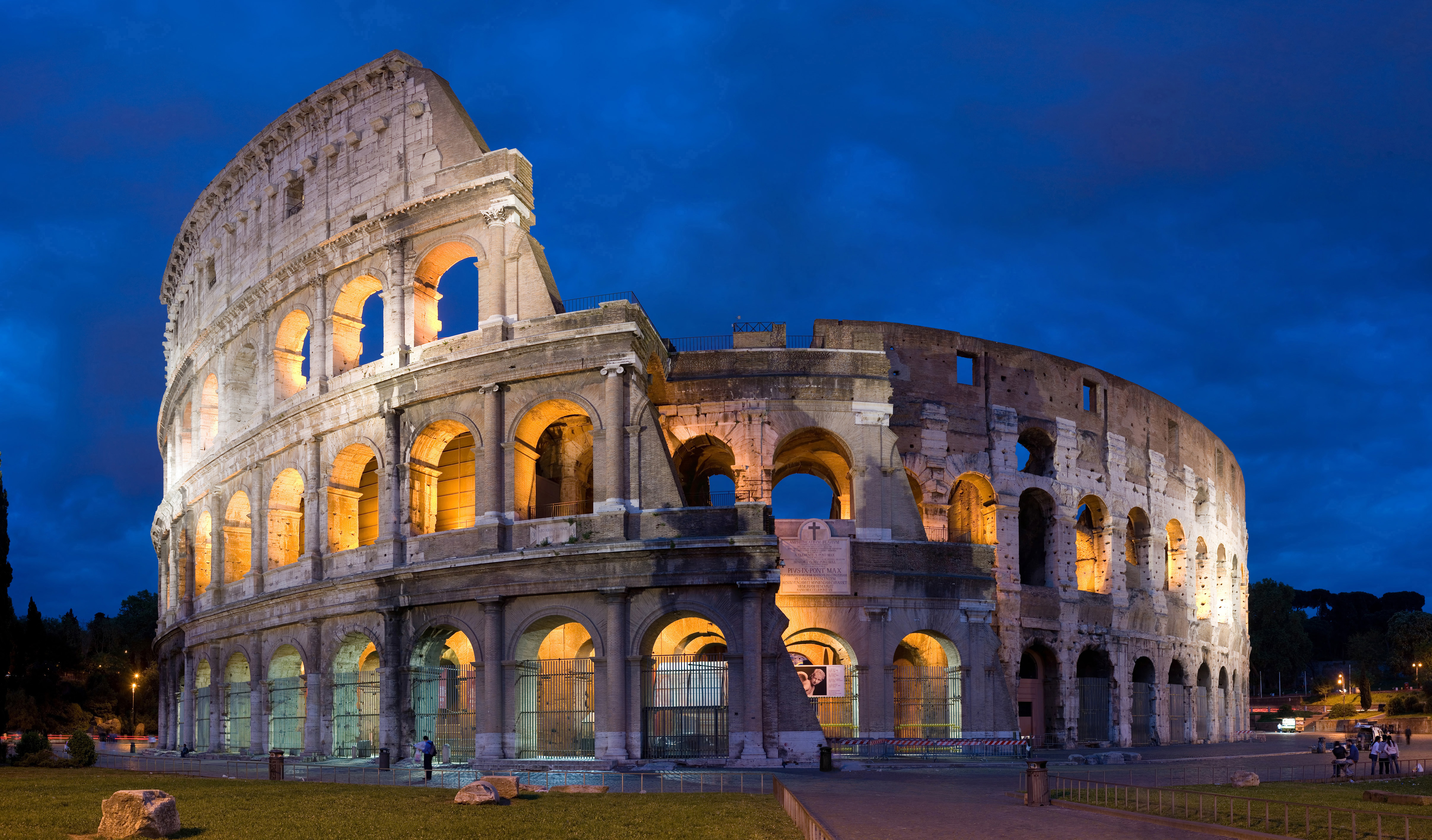
A. Colosseum, Rome

B. Forum Romanum, Rome

C. Circus Maximus, Rome

Gebouw 4: 1280px-Arc_de_Triomphe%2C_Paris_21_October_2010.jpg

A. Boog van Constantijn, Rome

B. Arc de Triomf, Barcelona

C. Arc de Triomphe, Parijs

Gebouw 5: 6902063adaacd5a80a15198bc72e8b67.jpg

A. Pantheon, Rome

B. Sagrada Família, Barcelona

C. Sint-Pietersbasiliek, Rome


In de spoiler staan de antwoorden van deze Test.

Gebouw 1: A. Reichstag, Berlijn

Gebouw 2: C. Tower Bridge, Londen

Gebouw 3: A. Colosseum, Rome

Gebouw 4: C. Arc de Triomphe, Parijs

Gebouw 5: B. Sagrada Família, Barcelona


5 punten

Phoenyxar?

3 of 4 punten

Wannabe-Phoenyxar?

Minder dan 3 punten

3 punten had toch moeten kunnen...

2 Comments

Recommended Comments

Dexist Al Capone

Dexist

Leden

Maar.. Ik heet Dexist

Guest
Add a comment...

Configure browser push notifications

Chrome (Android)
  1. Tap the lock icon next to the address bar.
  2. Tap Permissions → Notifications.
  3. Adjust your preference.
Chrome (Desktop)
  1. Click the padlock icon in the address bar.
  2. Select Site settings.
  3. Find Notifications and adjust your preference.