




Modificaties
Modificaties voor Grand Theft Auto V. Pas het singplayer gedeelte van GTA5 hiermee aan om het spel nog cooler te maken
4 bestanden
-
Dit vervangt meerdere modellen in New Kids voor GTA 5.
Installatie in readme bestand!
Belangrijk: altijd back ups maken voordat je aanpassingen maakt in GTA 5!
- 17 Downloads
 Door Christiaan076Toegevoegd
 -
Lightsaber
Dit vervangt de knuppel (baseball bat) in een Lightsaber van Star Wars.
Gebruik het niet online en ga niet online ermee!
- 8 Downloads
Door Christiaan076Toegevoegd -
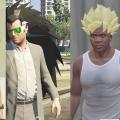
(_(________Saiyan Hair Pack________)_)
Deze mod verandert je haar in een Saiyan kapsel!
(_(__________Waarschuwing__________)_)
Ik heb niet de recentste GTA V maar ik heb de mod getest met onderstaande:
- LUA Plugin https://github.com/gallexme/LuaPlugin-GTAV/archive/master.zip)
- Script Hook V (v1.0.505.2a) http://www.dev-c.com/gtav/scripthookv/
- Script Hook V .Net (v2.4) https://nl.gta5-mods.com/tools/scripthookv-net
Als de script (MaskAlwaysOn.cs) niet werkt, laat het weten. Ik zal proberen om eventuele problemen op te lossen.
(_(__________Installation__________)_)
Stap 0: De volgende items moet je geïnstalleerd hebben:
- MaskAlwaysOn.cs (zit in het pakket)
- LUA Plugin
- Script Hook V
- Script Hook V .Net
Stap 1: Zet MaskAlwaysOn.cs in de scripts map (sla dit over als je het al hebt). De scripts map bevindt zich in > (Hoofdmap) Grand Theft Auto V\scripts
Stap 2: Start OpenIV en schakel 'Edit mode' in
Stap 3: Maak een backup (optioneel)
Stap 4: Ga naar de map > (Hoofdmap) Grand Theft Auto V\x64c.rpf\levels\gta5\props\lev_des\v_minigame.rpf\
Stap 5: 'REPLACE' de gekozen kapsel van mijn mod met 'prop_welding_mask_01.ydr'
Stap 6: Start het spel en druk NUMPAD-7 voor de ultieme Saiyan swag!
Video:
- 11 Downloads
Door Christiaan076Toegevoegd -
Gezien ik het veel te zonde vind om een aantal mods die ik heb liggen niet te delen
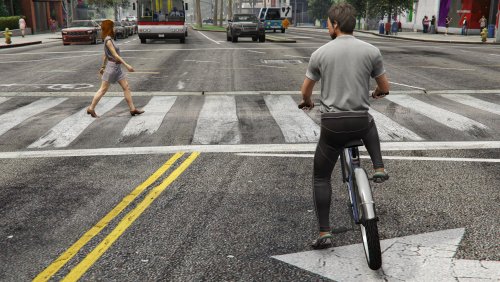
Bij deze: Een traffic mod
Traffic Mod Release V1.0
EnergyCorse/PC Principal
Exclusive mod for Gta Forum.nl
*Features:
-Increase of traffic density
-More different car models
-More traffic at junctions
-Changed timing on traffic lights
~~INSTALLATION~~
*Unpack Traffic Mod Release V1.0
*run Open IV
From the folder: Common.rpf
*Extract the file "vehiclemodelsets" to GtaV\Common.rpf\data\ai
*Extract the file "nav" to GtaV\Common.rpf\data\
=========================================================================
From the folder: update
*Extract the file "vehiclemodelsets" to gtaV\update\update.rpf\common\data\ai
*Extract the file "junctions" and "vehicles" to \update\update.rpf\common\data\levels\gta5
- 20 Downloads
 Door EnergyCorseToegevoegd


Downloadstatistieken
- 773 Bestanden
- 2414 Reviews
-
Recent actief 0
- Er zijn hier geen geregistreerde gebruikers aanwezig.