




Skip to content
View in the app

A better way to browse. Learn more.

GTAGames.nl - De Nederlandse Grand Theft Auto Community!

A full-screen app on your home screen with push notifications, badges and more.

To install this app on iOS and iPadOS
  1. Tap the Share icon in Safari
  2. Scroll the menu and tap Add to Home Screen.
  3. Tap Add in the top-right corner.
To install this app on Android
  1. Tap the 3-dot menu (⋮) in the top-right corner of the browser.
  2. Tap Add to Home screen or Install app.
  3. Confirm by tapping Install.

SparkIV 0.6.9

1 Screenshot

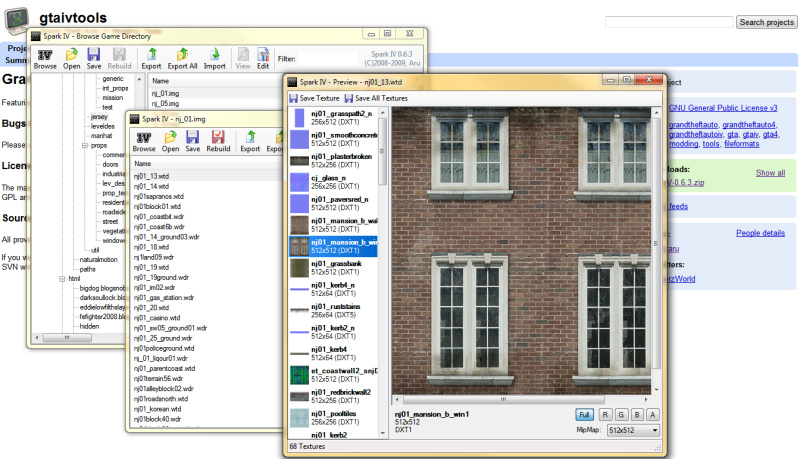
SparkIV is een archief bekijker/editor voor IMG/RPF archieven van Grand Theft Auto IV

Dit programma is een publieke beta, het kan soms dus niet functioneren zoals je zou verwachten.

Maak van te voren reservekopieën van de bestanden die je gaat bewerken.

Voor dit programma heb je versie 1.0, 1.0.1, 1.0.2, 1.0.3, 1.0.4, 1.0.4r2, 1.0.6.0 of 1.0.7.0 van GTAIV.exe nodig.

Topic op GTAForums.com: http://www.gtaforums.com/index.php?showtopic=384933

Licentie:

The majority of source code is provided under the GPL v3 license, except for those written by others. Please read and make sure you understand the GPL and its ramifications before looking at or using the source code.

Source code: http://code.google.com/p/gtaivtools/

What's New in Version 11/01/2010 11:37 AM

Released

No changelog available for this version.

Account

Navigation

Search

Search

Configure browser push notifications

Chrome (Android)
  1. Tap the lock icon next to the address bar.
  2. Tap Permissions → Notifications.
  3. Adjust your preference.
Chrome (Desktop)
  1. Click the padlock icon in the address bar.
  2. Select Site settings.
  3. Find Notifications and adjust your preference.