



Skip to content
View in the app

A better way to browse. Learn more.

GTAGames.nl - De Nederlandse Grand Theft Auto Community!

A full-screen app on your home screen with push notifications, badges and more.

To install this app on iOS and iPadOS
  1. Tap the Share icon in Safari
  2. Scroll the menu and tap Add to Home Screen.
  3. Tap Add in the top-right corner.
To install this app on Android
  1. Tap the 3-dot menu (⋮) in the top-right corner of the browser.
  2. Tap Add to Home screen or Install app.
  3. Confirm by tapping Install.

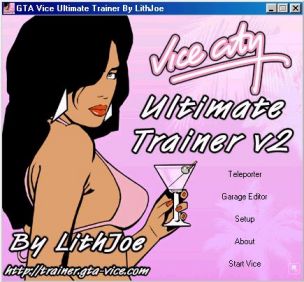
Ultimate Trainer v2

1 Screenshot

Een zeer goede trainer van Lithjoe met vele opties!

De trainer bevat onder andere:

  • Alle cheats van de game zelf
  • Oneindige health/armor/ammo
  • Stop de tijdklok van missies
  • Spawm de beste auto's naast je voeten (Hunter en andere)
  • Jetpackfunctie waarmee je oneindig hoog en dwars door gebouwen kunt gaan
  • Draai auto weer op wielen / deuren op slot / gepantserde auto / repareer auto
  • Teleporter
  • Verander skin in andere modellen uit Vice City, o.a. Candy Suxxx
  • In-game screenshots maken

Deze trainer werkt enkel goed met de originele versie van GTA Vice City. Mogelijk geeft deze trainer problemen met de Steam versie van het spel!

What's New in Version 02/20/2015 11:35 AM

Released

No changelog available for this version.

Account

Navigation

Search

Search

Configure browser push notifications

Chrome (Android)
  1. Tap the lock icon next to the address bar.
  2. Tap Permissions → Notifications.
  3. Adjust your preference.
Chrome (Desktop)
  1. Click the padlock icon in the address bar.
  2. Select Site settings.
  3. Find Notifications and adjust your preference.