



Skip to content
View in the app

A better way to browse. Learn more.

GTAGames.nl - De Nederlandse Grand Theft Auto Community!

A full-screen app on your home screen with push notifications, badges and more.

To install this app on iOS and iPadOS
  1. Tap the Share icon in Safari
  2. Scroll the menu and tap Add to Home Screen.
  3. Tap Add in the top-right corner.
To install this app on Android
  1. Tap the 3-dot menu (⋮) in the top-right corner of the browser.
  2. Tap Add to Home screen or Install app.
  3. Confirm by tapping Install.

Design Your Own Mission: General Dilemma

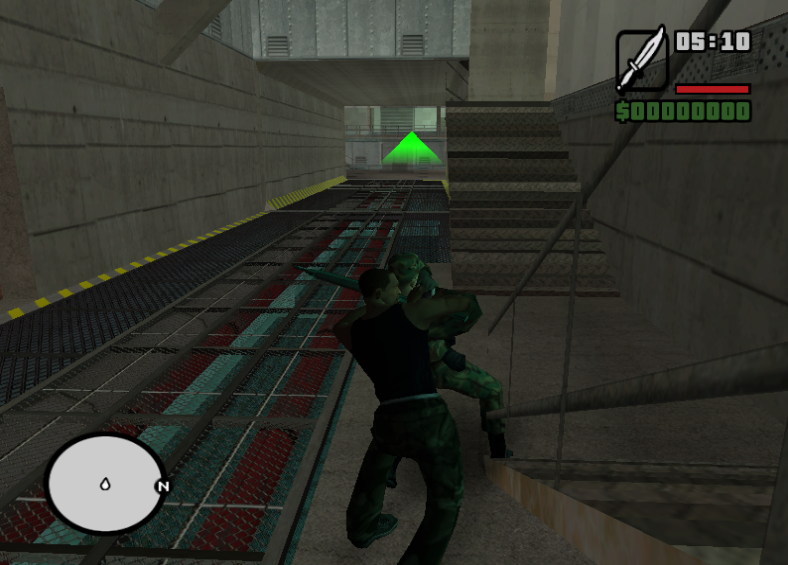
1 Screenshot

Deze missie mod is de winnaar van de "Design Your Own Missie" contest.

Het missie ontwerp van GTA-Sheep werd verkozen tot het beste en is daarna door de contest-organistatie

als missie-mod uitgewerkt.

Het concept van de missie, is dat Kendl en Cesar ontvoerd zijn en dat Carl ze uit de legerbasis area69 moet bevrijden.

Uitgebreide beschrijving

Installatie en starten:

-----------------------

1) Maak een map MPACK in de map "GTA San Andreas User Files" in "Mijn Documenten".

2) Kopieer de MPACK4 map uit deze download in deze folder

3) Start GTA San Andreas op, start een nieuw game en kies uit de lijst "DYOM: General Dilemma".

Door Dutchy3010 en PatrickW naar een idee van GTA-Sheep.

What's New in Version 02/27/2008 11:03 PM

Released

No changelog available for this version.

Account

Navigation

Search

Search

Configure browser push notifications

Chrome (Android)
  1. Tap the lock icon next to the address bar.
  2. Tap Permissions → Notifications.
  3. Adjust your preference.
Chrome (Desktop)
  1. Click the padlock icon in the address bar.
  2. Select Site settings.
  3. Find Notifications and adjust your preference.