




Skip to content
View in the app

A better way to browse. Learn more.

GTAGames.nl - De Nederlandse Grand Theft Auto Community!

A full-screen app on your home screen with push notifications, badges and more.

To install this app on iOS and iPadOS
  1. Tap the Share icon in Safari
  2. Scroll the menu and tap Add to Home Screen.
  3. Tap Add in the top-right corner.
To install this app on Android
  1. Tap the 3-dot menu (⋮) in the top-right corner of the browser.
  2. Tap Add to Home screen or Install app.
  3. Confirm by tapping Install.

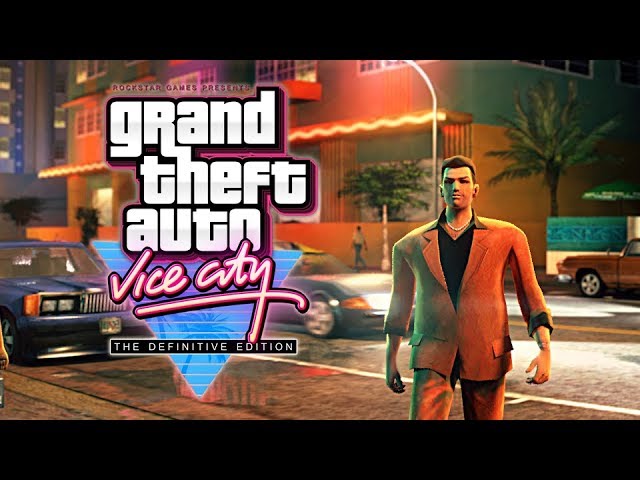
Fan-made: GTA VC 15th Anniversary Trailer

Bijna een jaar geleden verscheen er een video online waarin het YouTube-kanaal Welcome to the '80 de intro van GTA Vice City in een modern jasje stopte. Dit jaar is het 15 jaar geleden dat GTA Vice City uitkwam, en het YouTube-kanaal viert dit met een zelfgemaakte trailer. Geniet van deze prachtige beelden! 8)


"Fifteen years... it seems like only yesterday."


Bronnen: YouTube en @Bassieboy35

User Feedback

Recommended Comments

P.ZAAL Leone Family baas

P.ZAAL

Leden

Wouw echt prachtig gemaakt.


Alweer 15 jaar geleden dat dit spel uitkwam :cab:?

Het lijkt zoveel korter ik was toen nogmaar 15.

Dutchy3010 Community Legend

Dutchy3010

Ereleden

Fantastisch! 15 jaar geleden kocht ik dus m'n eerste GTA spel. Wilde III kopen en op de dag van de release kwam ik toevallig in de winkel. Kreeg gelijk de vraag of ik niet het nieuwe VC wilde. Het was liefde.

NandroDavids Forum Legend

NandroDavids

Ereleden

Mooie video. Krijg direct weer zin om Vice City te spelen ook... maar ja, nog genoeg games liggen en wil eigenlijk eerst GTA V ook nog weer 's helemaal opnieuw spelen.

Guardian1980 Forum Legend

Guardian1980

Ereleden
1 uur geleden, NandroDavids zei:

Krijg direct weer zin om Vice City te spelen ook...

Precies dit. 

PrioX Forum Legend

15 jaar, de tijd vliegt.


Prachtige sfeer hing er in dat spel, voornamelijk door de fantastische muziek. _O_ Ik hoop dat we ooit nog eens terugkeren naar Vice City in de jaren 80. Ben ontzettend benieuwd wat ze nu kunnen neerzetten met hun ervaring en verbeterde technologie. 


Het YouTube-kanaal heeft zojuist de achtergrondmuziek geüpload, voor de liefhebbers. 


Join the conversation

You can post now and register later. If you have an account, sign in now to post with your account.

Guest
Add a comment...

Account

Navigation

Search

Search

Configure browser push notifications

Chrome (Android)
  1. Tap the lock icon next to the address bar.
  2. Tap Permissions → Notifications.
  3. Adjust your preference.
Chrome (Desktop)
  1. Click the padlock icon in the address bar.
  2. Select Site settings.
  3. Find Notifications and adjust your preference.