




Skip to content
View in the app

A better way to browse. Learn more.

GTAGames.nl - De Nederlandse Grand Theft Auto Community!

A full-screen app on your home screen with push notifications, badges and more.

To install this app on iOS and iPadOS
  1. Tap the Share icon in Safari
  2. Scroll the menu and tap Add to Home Screen.
  3. Tap Add in the top-right corner.
To install this app on Android
  1. Tap the 3-dot menu (⋮) in the top-right corner of the browser.
  2. Tap Add to Home screen or Install app.
  3. Confirm by tapping Install.

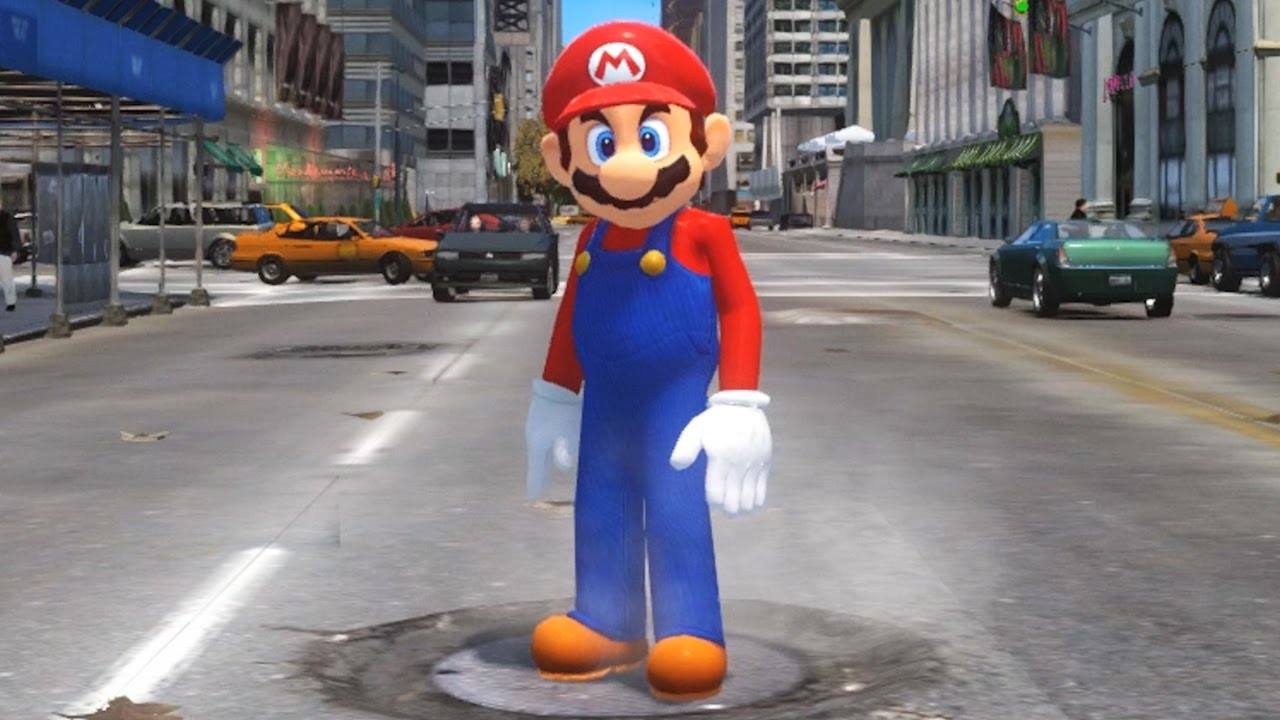
Mario ontdekt Liberty City!

It's me, Mario! Het spelfiguur uit de bekende serie wordt dit jaar in de wereld van New Donk City gebracht in het spel Super Mario Odyssey. Vorige week kwam daar de trailer voor uit en daarom zag YouTuber CrowbCat, die we ook nog kennen van 19 redenen waarom GTA IV beter is dan GTA V, zijn kans. In zijn eigen parodie laat hij Mario niet kennis maken met een vrolijk New York, maar juist met de keiharde waarheid. Zie zelf hoe dat er aan toe gaat.

De originele trailer van het spel dat eind dit jaar uitkomt vind je

.

Bron: CrowbCat YouTube

User Feedback

Recommended Comments

P.ZAAL Leone Family baas

P.ZAAL

Leden

Haha ik vind hem leuk gedaan.

Krijg bijna weer zin om GTA4 te gaan spelen ;).

Michael The Godfather

Michael

Leden

Op zich wel leuk gedaan maar het lijkt alsof hij alleen de skin heeft verandert en daarna rond ging lopen door Liberty City en wat random geluiden erin heeft gegooid, want je hoort Niko nog steeds wel schreeuwen als hij valt bijvoorbeeld maar het is voor de rest wel een grappige video. :)

TerrorMau5 Lazlow stalker

TerrorMau5

Leden

ga em wel halen voor deze game samen met skyrim ga ik een switch halen puur om het onderweg te kunnen doen XD genieten hopen dat rockstar er in de toekomst ook mee aan gaat werken :puh:

Guardian1980 Forum Legend

Guardian1980

Ereleden

Het eerste wat ik dacht toen ik de topic-titel zag: "Mario, let's go bowling" :puh:

Grappig filmpje, origineel bedacht.

Join the conversation

You can post now and register later. If you have an account, sign in now to post with your account.

Guest
Add a comment...

Account

Navigation

Search

Search

Configure browser push notifications

Chrome (Android)
  1. Tap the lock icon next to the address bar.
  2. Tap Permissions → Notifications.
  3. Adjust your preference.
Chrome (Desktop)
  1. Click the padlock icon in the address bar.
  2. Select Site settings.
  3. Find Notifications and adjust your preference.