




Skip to content
View in the app

A better way to browse. Learn more.

GTAGames.nl - De Nederlandse Grand Theft Auto Community!

A full-screen app on your home screen with push notifications, badges and more.

To install this app on iOS and iPadOS
  1. Tap the Share icon in Safari
  2. Scroll the menu and tap Add to Home Screen.
  3. Tap Add in the top-right corner.
To install this app on Android
  1. Tap the 3-dot menu (⋮) in the top-right corner of the browser.
  2. Tap Add to Home screen or Install app.
  3. Confirm by tapping Install.

Nog 18 uur te gaan tot de #GTAV trailer!

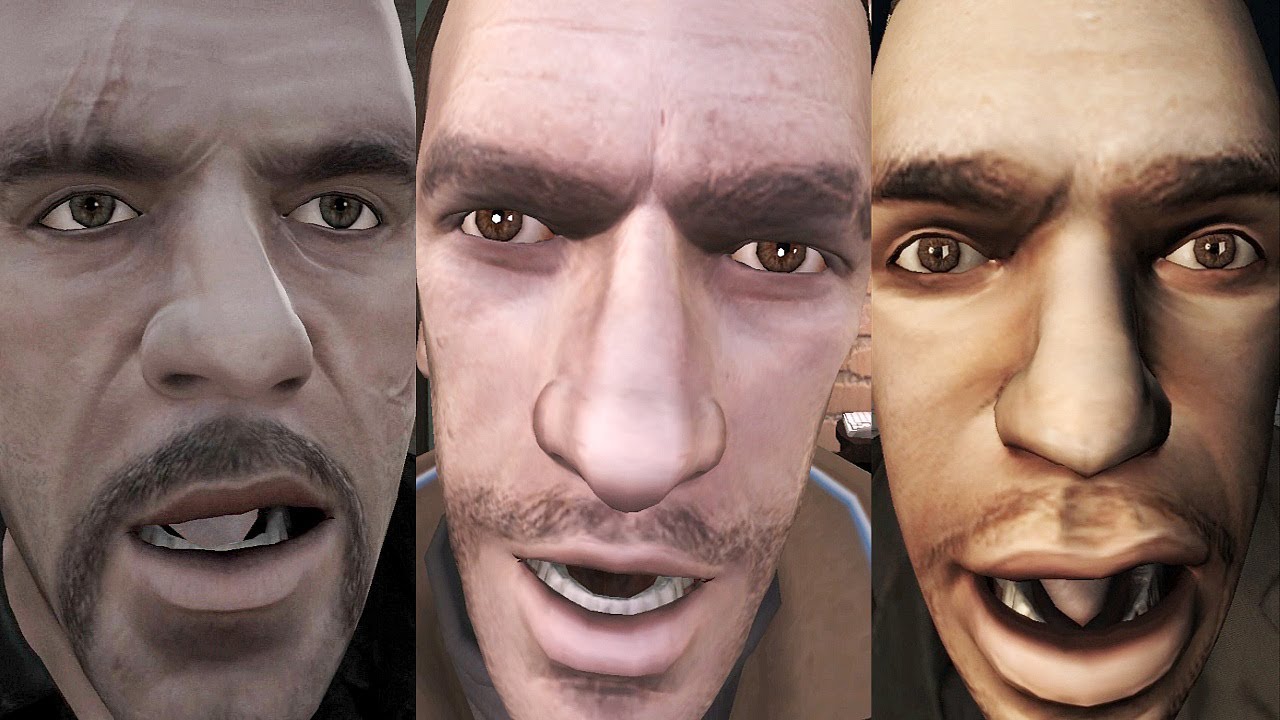
Nog 18 uur te gaan tot dat morgenmiddag om 17:00 de eerste GTA5 trailer hier op GTAGames.nl staat. Om je tijdens het wachten niet te hoven vervelen is hier een grappig met de sleutelfiguren uit GTA4 (Niko Bellic, Johnny Klebitz en Luis Lopez). Het filmpje is gemaakt door Yeardly Diamond

User Feedback

Recommended Comments

Sharingan Postless Person

Sharingan

Banned

i lol'd

BoerBanaan Most Wanted (★★★★★)

BoerBanaan

Leden

Whahaha geniaal. Toch ff goed om gelachen xd

Mythbuster Most Wanted (★★★★★)

Mythbuster

Leden

'...Is hier een grappig met...' :puh:? Is dat zoiets als 'I told a funny' maar dan in het Nederlands? :puh:

Had 'm al een keer gezien, masterlijk gemaakt :puh:

Jacky-2007 Legendary Godfather

Jacky-2007

Ereleden

Erg hilarische video! Maar het moeten wachten is minder hilarisch... ^_^

Guardian1980 Forum Legend

Guardian1980

Ereleden

Maar het moeten wachten is minder hilarisch... ^_^

Als je 'm maar vaak genoeg kijkt wordt het vanzelf 17:00 ;)

PrioX Forum Legend

Nou, ben vandaag vrij dus dat wordt lekker heel de dag naar de Countdown kijken. :cab:

Maar gelukkig krijg ik er iets moois voor terug! :D

Join the conversation

You can post now and register later. If you have an account, sign in now to post with your account.

Guest
Add a comment...

Account

Navigation

Search

Search

Configure browser push notifications

Chrome (Android)
  1. Tap the lock icon next to the address bar.
  2. Tap Permissions → Notifications.
  3. Adjust your preference.
Chrome (Desktop)
  1. Click the padlock icon in the address bar.
  2. Select Site settings.
  3. Find Notifications and adjust your preference.