Skip to content
View in the app

A better way to browse. Learn more.

GTAGames.nl - De Nederlandse Grand Theft Auto Community!

A full-screen app on your home screen with push notifications, badges and more.

To install this app on iOS and iPadOS
  1. Tap the Share icon in Safari
  2. Scroll the menu and tap Add to Home Screen.
  3. Tap Add in the top-right corner.
To install this app on Android
  1. Tap the 3-dot menu (⋮) in the top-right corner of the browser.
  2. Tap Add to Home screen or Install app.
  3. Confirm by tapping Install.

Puma gaat moddereren in Modding!

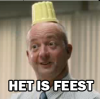
puma.gif

Puma, onder meer bekend om zijn trainingspakken en sneakers kunstjes in de modding sectie van het forum en het Kerstprobleem, gaat voortaan in een blauw jasje over het forum slenteren. Vanaf heden gaat Puma de modding sectie onveilig maken. Dat hij goed is in het modden van GTA moge duidelijk zijn, maar nu krijgt hij de nieuwe uitdaging om te gaan modereren! Uiteraard heeft de voltallige crew alle vertrouwen in zijn kunnen, en anders kan hij altijd nog de afwas doen in het keukentje van de crew. Hoe dan ook, welkom in de crew en veel succes Puma!

Krijg ik nu mijn worteltje..?

  • Replies 50
  • Views 6.1k
  • Created
  • Last Reply

Top Posters In This Topic

Featured Replies

gefeliciteerd Puma, zag het net toen ik een topic van jouw aan het lezen was en ik opeens dacht, huh hij is nu oopeens blauw wtf

Puma, gefeliciteerd met je promotie, en veel succes met je nieuwe taak! Ik heb van modding weinig kaas gegeten, maar ik ben er van overtuigd dat dat wel goed gaat komen. :bier:

Gefeliciteerd Puma, ik weet zeker dat jij deze job kunt! :bier:

Gefeliciteerd Puma! Succes in modding!

Gefeliciteerd Puma met je nieuwe trainingspak :puh:

En nog veel succes met je nieuwe taken, je verdient het :bier:

Edited by danny18

Congrats. Welkom bij de crew. :bier:

Thanks :D! Lekker modderen!

MudManMIKEKING_450x300.jpg

Gefeliciteerd. Nu ben je een echte smurf!

gefeliciteerd !

Zal ook wel moeten met zulk soort mods en ervaring :D

Gefeliciteerd Puma! :tu:

Gefeliciteerd Puma! Veel succes als Moderator. ;)

Join the conversation

You can post now and register later. If you have an account, sign in now to post with your account.

Guest
Reply to this topic...

Recently Browsing 0

  • No registered users viewing this page.

Account

Navigation

Search

Search

Configure browser push notifications

Chrome (Android)
  1. Tap the lock icon next to the address bar.
  2. Tap Permissions → Notifications.
  3. Adjust your preference.
Chrome (Desktop)
  1. Click the padlock icon in the address bar.
  2. Select Site settings.
  3. Find Notifications and adjust your preference.