Skip to content
Bekijk in de app

Een betere weg om onze GTA community te volgen. Leer meer.

GTAGames.nl - De Nederlandse Grand Theft Auto Community!

Een volledig scherm app op het beginscherm inclusief notificaties, badges en meer.

Om deze app op je iPhone en iPad te installeren
  1. Druk op het icoon in Safari
  2. Scroll in het menu en druk op Zet op beginscherm.
  3. Druk op Voeg toe rechts bovenaan.
Om deze app op je Android toe te voegen
  1. Druk op het 3-punten menu (⋮) rechts bovenaan in de browser.
  2. Druk op Toevoegen aan beginscherm of Installeer app.
  3. Druk op Toevoegen om te bevestigen.

Wat luister je nu?

Geplaatst:

within temptation - bittersweet

Kijkt tevens bunny ranch

  • Reacties 12.8k
  • Bezichtigingen 374.4k
  • Aangemaakt
  • Laatste reactie

Populairste bijdragers

Populaire afbeeldingen

Featured Replies

Geplaatst:

Jimi Hendrix - Like A Rolling Stone

Geplaatst:

La Roux - Bulletproof

Ik heb gewoon uit gemak de CD La Roux opgelegd.

Geplaatst:

Psyko Punkz - Not An Addict

Geplaatst:

Oasis - The Importance Of Being Idle

Geplaatst:

SPC-19_1400x1400_540_540.jpg

Geoff White - Ince

Geplaatst:

New Boyz - Tie me down

Geplaatst:

Tame Impala - Desire Be Desire Go

Geplaatst:

Tom Waes - Dos cervezas :bier:

Geplaatst:

The Vision - Defqon.1 DJ Tool _O_.

Geplaatst:

Eagles of Death Metal - Wanna be in LA

Geplaatst:

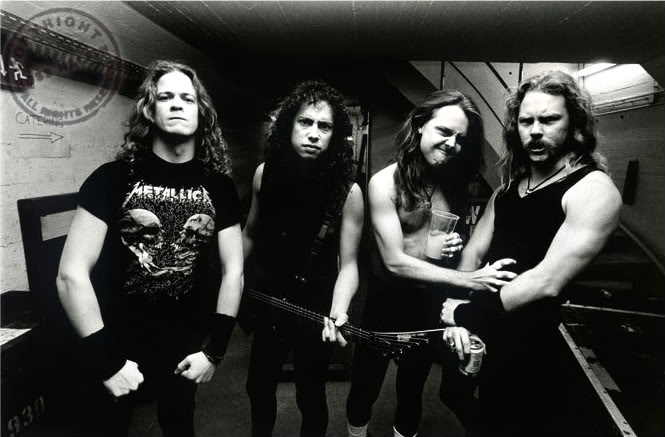
metallica - fade to black

Gast
Dit onderwerp is gesloten.

Recent actief 0

  • Er zijn hier geen geregistreerde gebruikers aanwezig.

Account

Navigatie

Zoeken

Zoeken

Configureer push berichten

Chrome (Android)
  1. Tap the lock icon next to the address bar.
  2. Tap Permissions → Notifications.
  3. Adjust your preference.
Chrome (Desktop)
  1. Click the padlock icon in the address bar.
  2. Select Site settings.
  3. Find Notifications and adjust your preference.