Skip to content
View in the app

A better way to browse. Learn more.

GTAGames.nl - De Nederlandse Grand Theft Auto Community!

A full-screen app on your home screen with push notifications, badges and more.

To install this app on iOS and iPadOS
  1. Tap the Share icon in Safari
  2. Scroll the menu and tap Add to Home Screen.
  3. Tap Add in the top-right corner.
To install this app on Android
  1. Tap the 3-dot menu (⋮) in the top-right corner of the browser.
  2. Tap Add to Home screen or Install app.
  3. Confirm by tapping Install.

[LCS] Raad het voertuig

Dit topic heeft hetzelfde doel als de andere RHV's


Regels:

  • Maximaal 3 posts per persoon per dag.
  • Geen spam, alleen foto + antwoord. Indien iemand een antwoord heeft gegeven, die niet herhalen.
  • Degene die de vraag goed beantwoord heeft, mag een nieuwe vraag stellen.
  • Zodra de vragensteller 3 dagen niet gezegd heeft of een antwoord goed of fout is, mag degene die het antwoord gegeven heeft een nieuwe vraag stellen.
  • Wanneer er 10 foute antwoorden zijn gegeven is de vraagsteller verplicht een tip te geven.
  • En hier zijn de forumregels ook van kracht.

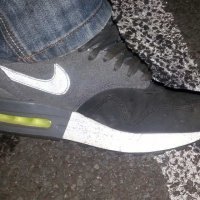
post-98666-0-98705600-1435574414.jpg


  • Replies 240
  • Views 81k
  • Created
  • Last Reply

Top Posters In This Topic

Posted Images

Featured Replies

  • Author

nee schoonheid

  • Author

nee

  • Author

nee

ik zou het plaatje nog kleiner maken en nog minder laten zien

Hellenbach GT?

ik zou het plaatje nog kleiner maken en nog minder laten zien

Dat is een beetje de opzet van Raad het voertuig, een uitdaging creëren. Je had ook een gok kunnen plaatsen in plaats van een verder nutteloos bericht plaatsen.

En Tommy-Vercetti, je zit over je posts per dag.

  • Author

nee

  • Author

nee

  • Author

nee

  • 1 month later...

Perennial?

Join the conversation

You can post now and register later. If you have an account, sign in now to post with your account.

Guest
Reply to this topic...

Recently Browsing 0

  • No registered users viewing this page.

Account

Navigation

Search

Search

Configure browser push notifications

Chrome (Android)
  1. Tap the lock icon next to the address bar.
  2. Tap Permissions → Notifications.
  3. Adjust your preference.
Chrome (Desktop)
  1. Click the padlock icon in the address bar.
  2. Select Site settings.
  3. Find Notifications and adjust your preference.